Open via Google Maps
Open selected addresses in Google maps directly from the same page
Top Recommended Alternative

Open via Google Maps is a free Chrome extension developed by Free Apps. It falls under the category of Browsers and is classified as an Add-ons & Tools subcategory. This handy extension allows users to quickly check out an address or location in Google Maps without having to leave the current page.
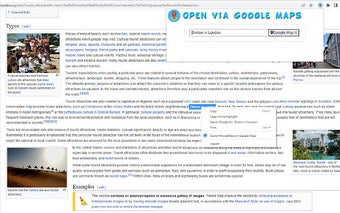
To use Open via Google Maps, simply highlight the address or location you want to find on Google Maps using your mouse. Then, right-click and select the option "Open via Google Maps" from the context menu. The extension will open a new popup window with the selected address displayed inside Google Maps.
This software is designed to save you time when you frequently search for directions or need to find your way to a specific destination. It's important to note that Open via Google Maps is not an official Google product and is developed by an independent group of developers. Give it a try and streamline your mapping experience today.